SAML & SCIM
Setting up SAML and SCIM allows you to authenticate users using your identity provider.
This feature is available under Enterprise Edition. Configuration is set from Instance settings
SAML
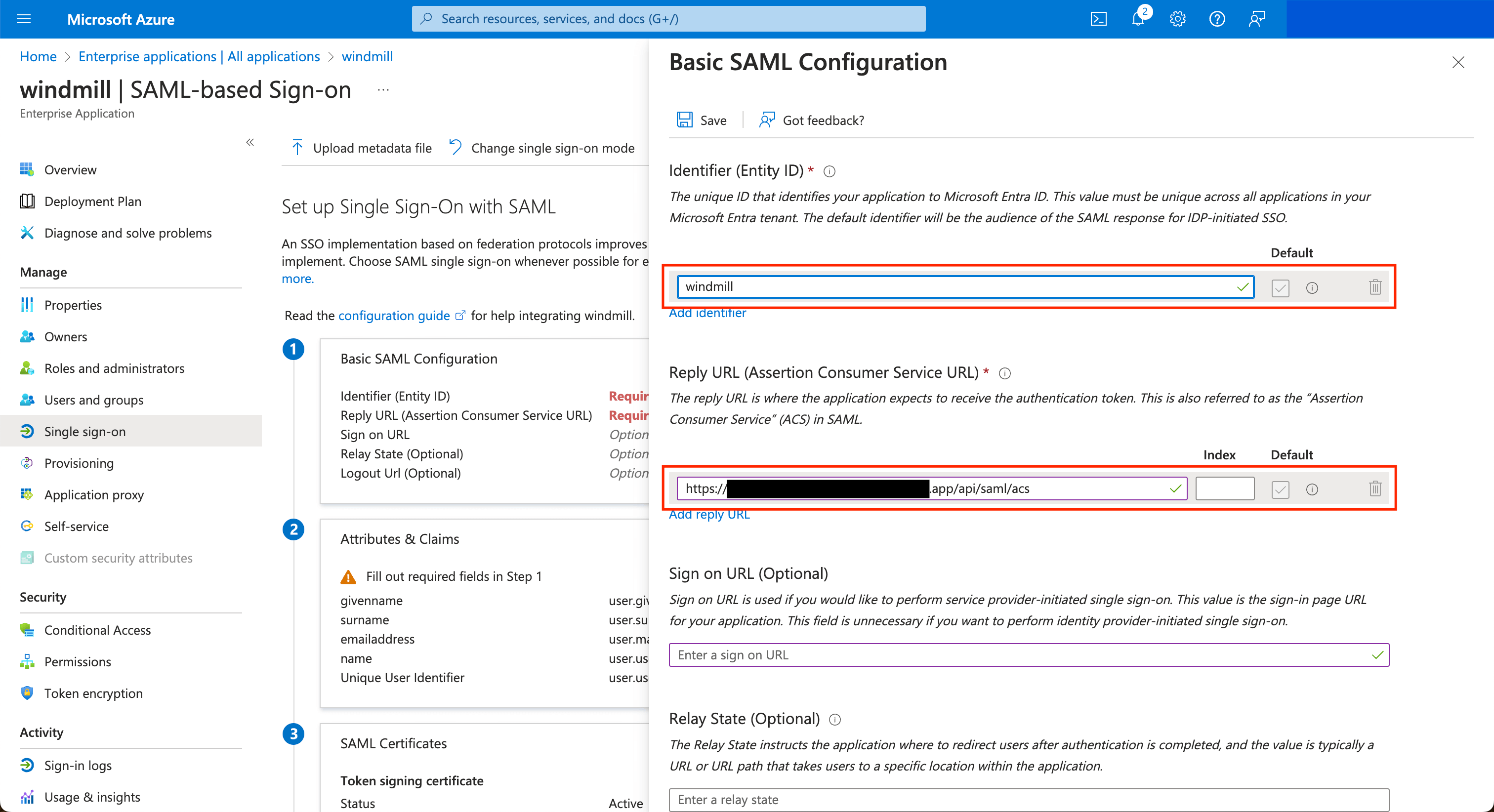
The entity ID is windmill
ACS Url is <instance_url>/api/saml/acs
SCIM connector is <instance_url>/api/scim
Application username format is Email
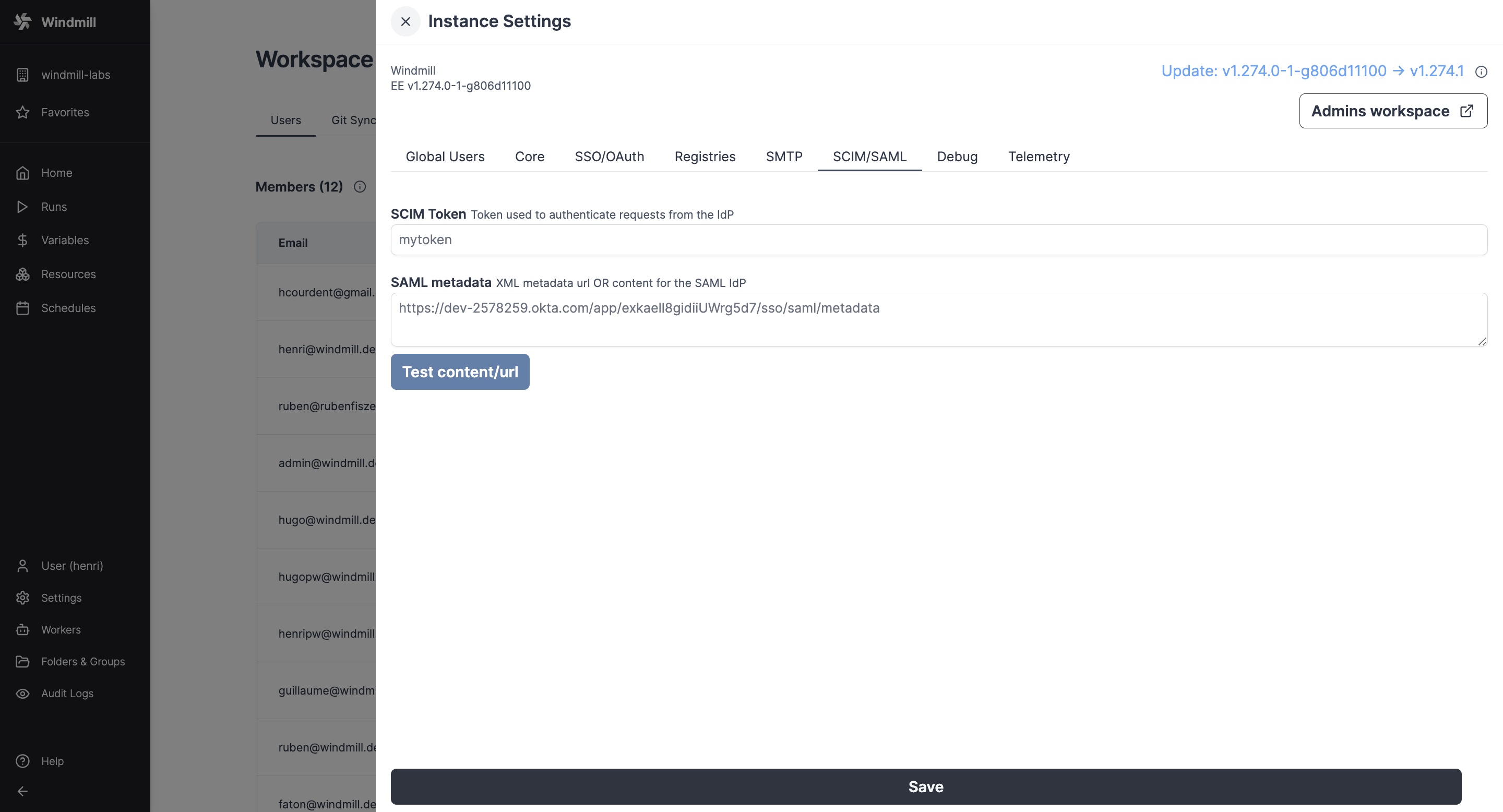
In the Instance settings UI, pass the SAML Metadata URL (or content) containing the metadata URL (or XML content).
You can control the entity ID using the SAML_AUDIENCE environment variable. This can be useful if you want to use the same identity provider for multiple instances (e.g dev / prod).
Okta
Configure Okta with the following settings (and replace cf.wimill.xyz with your domain):
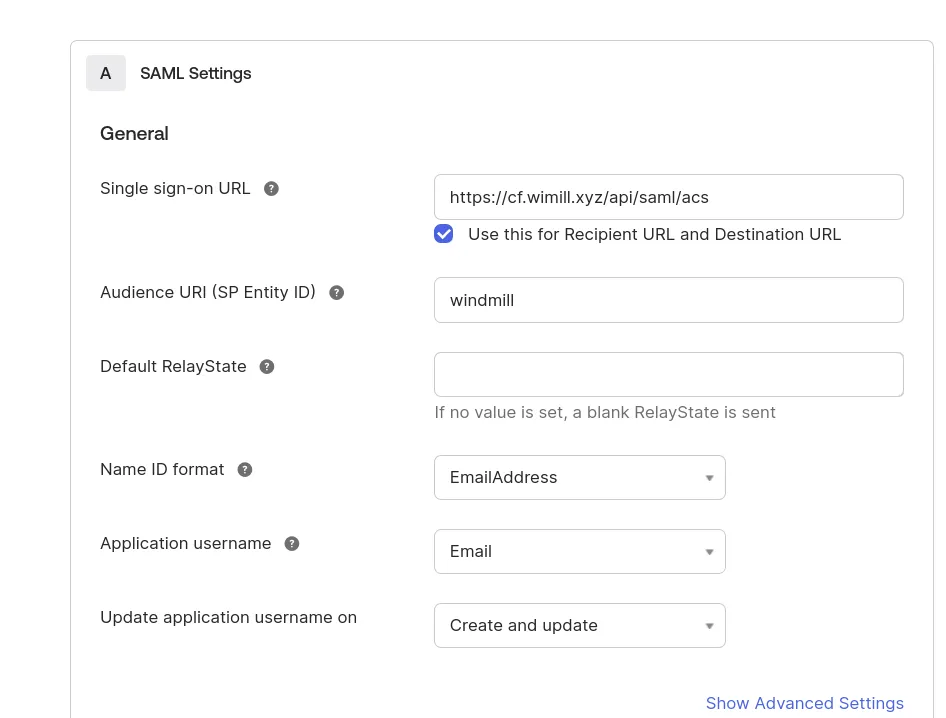
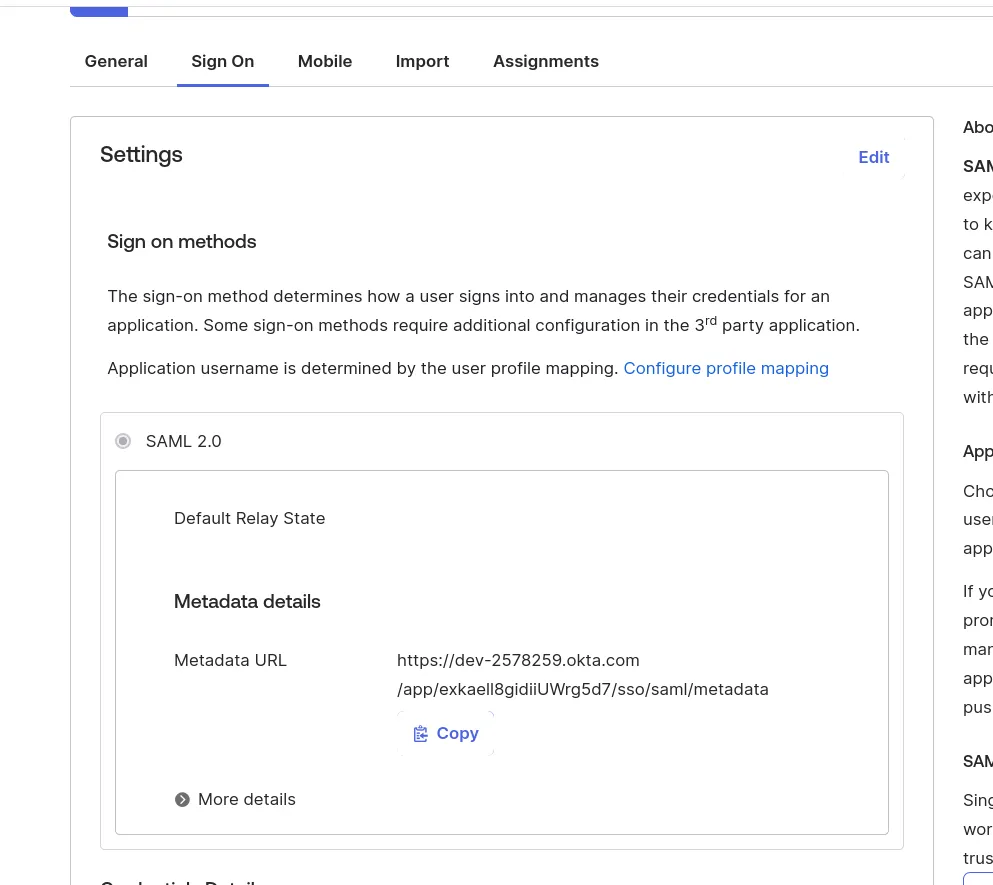
In the Instance settings UI, pass the SAML Metadata URL (or content) containing the metadata URL (or XML content).
Microsoft Entra (Azure)
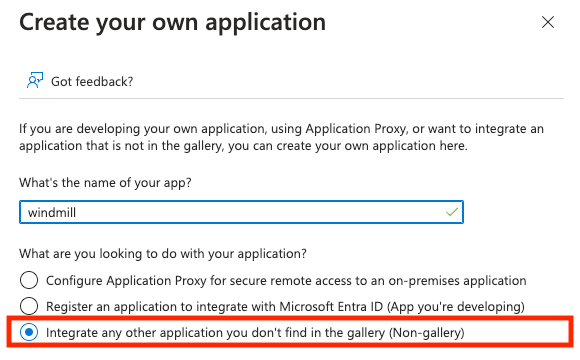
In the Azure portal, go to "Enterprise Applications" and create a new one of type "Non-gallery".
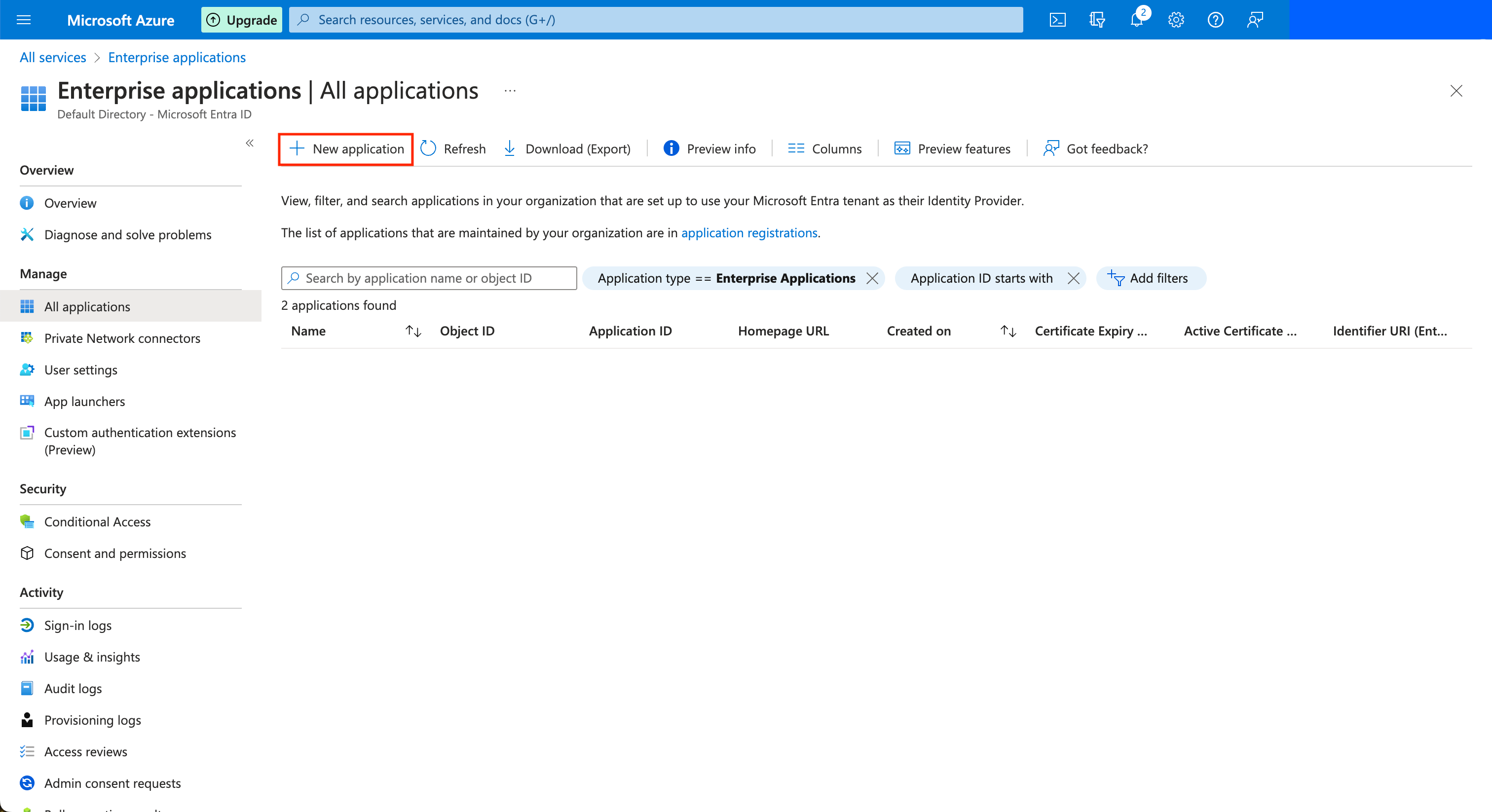
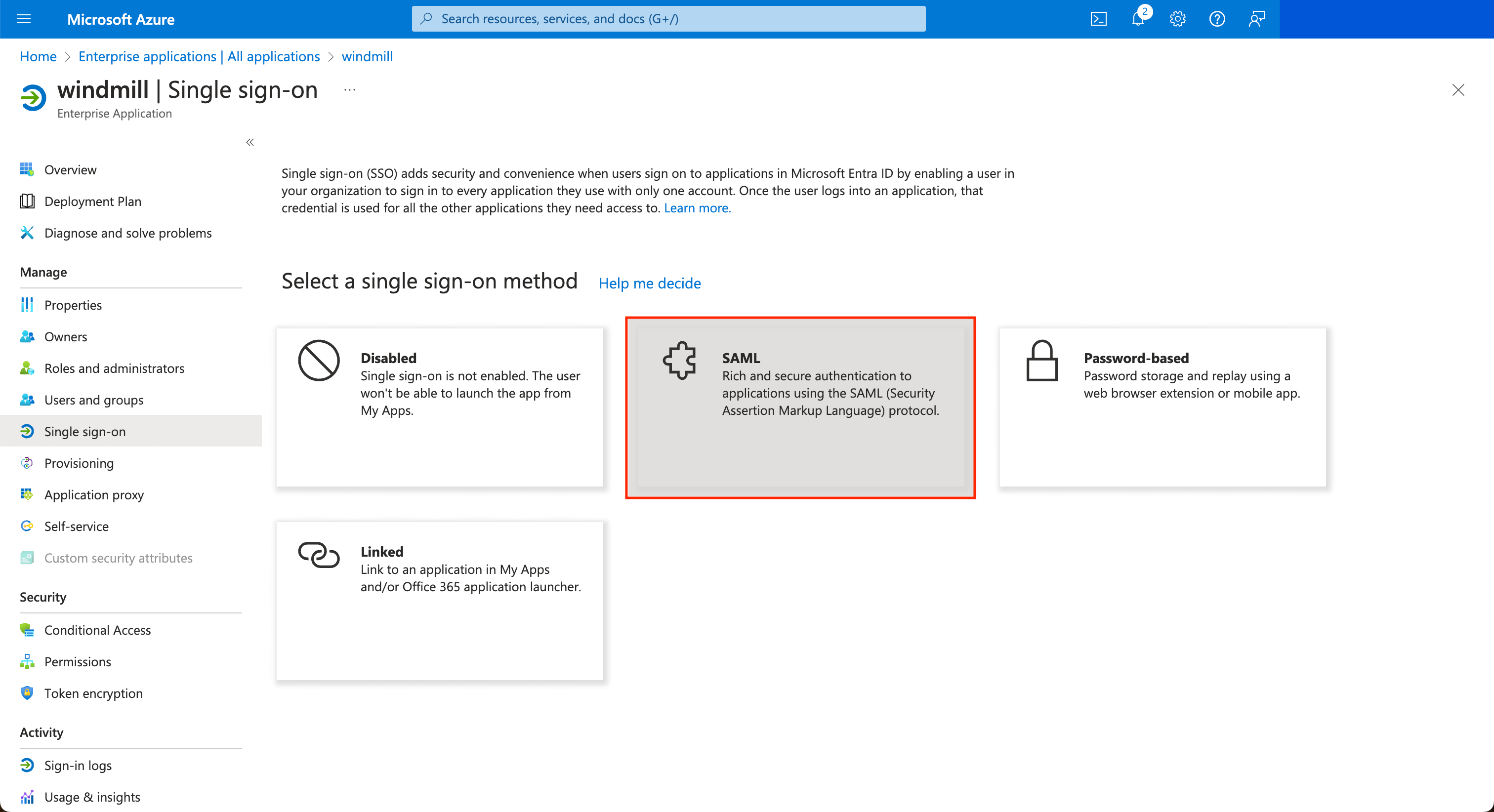
Once the application is created, in the application's page go to "Single sign-on" on the left menu, and click on the "SAML" button.
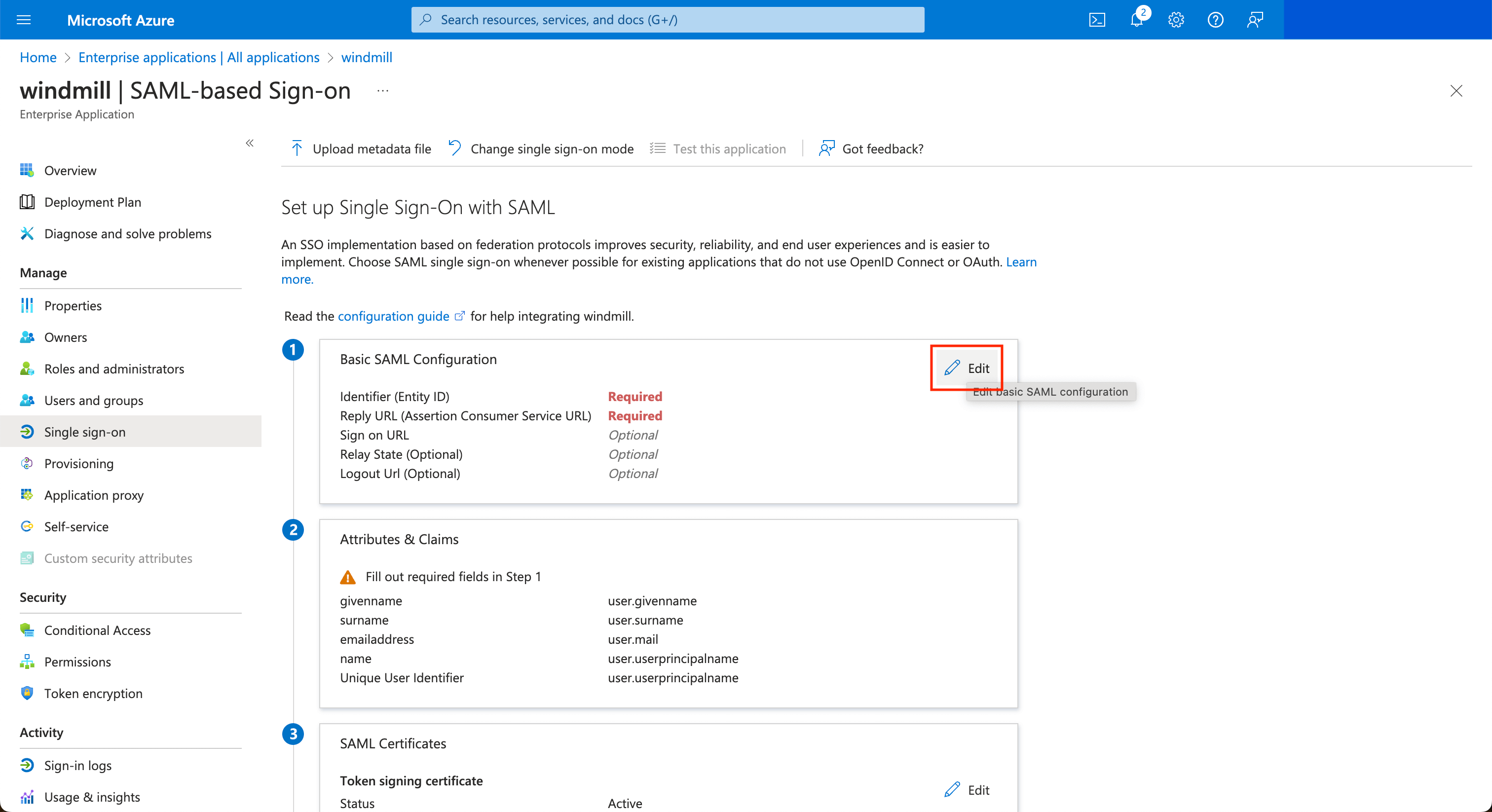
Edit the configuration to set the Entity ID to windmill and the ACS url to <instance_url>/api/saml/acs.
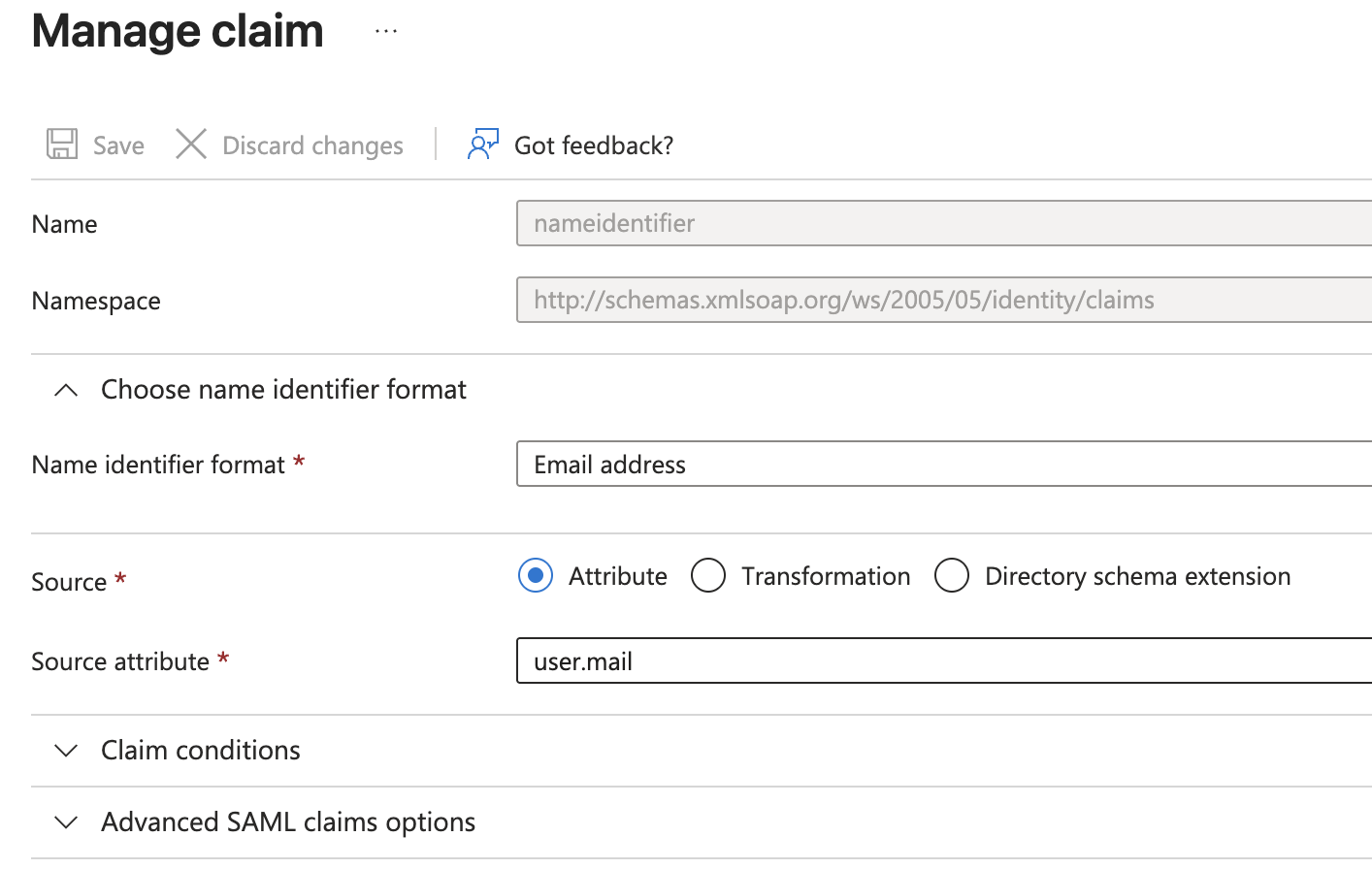
Configuring the NameID claim
For SAML authentication to work correctly with Entra, you need to configure the primary NameIdentifier claim. In the "Attributes & Claims" section of your SAML configuration:
- Click on the NameIdentifier claim to edit it
- Set the following values:
- Name identifier format: Email address
- Source attribute:
user.mail
Configuring Windmill with the metadata URL
Once the SAML configuration is complete in Entra, copy the App Federation Metadata URL from the SAML Certificates section:
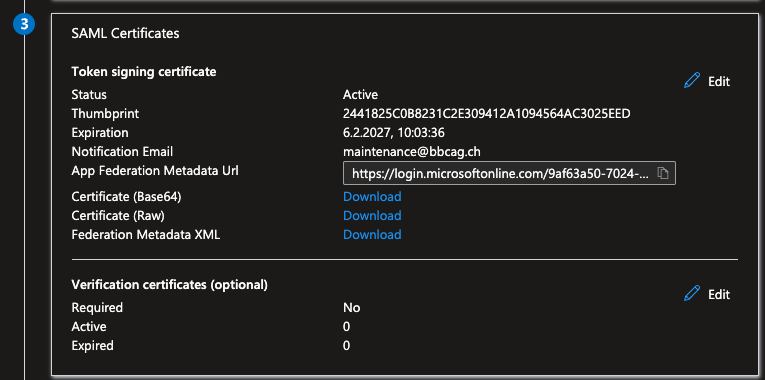
Paste this URL in the Windmill Instance settings UI.
If for some reasons, the metadata URL cannot be used, you can copy the XML content and paste it in the field instead.
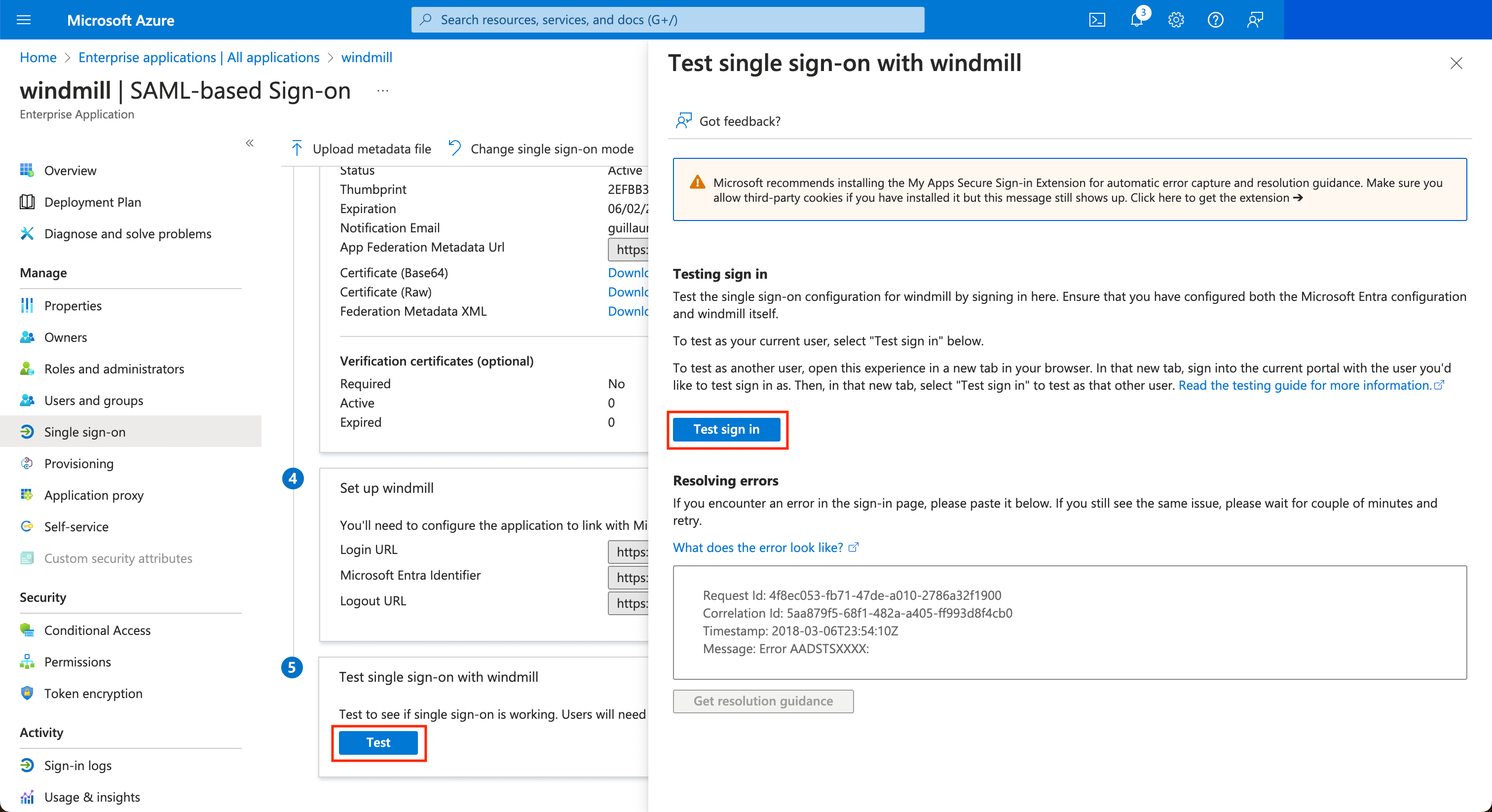
Once it's saved, you can test the login by clicking on the Test button at the bottom, then on the drawer Test sign in.
SCIM
Okta
Configure Okta with the following settings (and replace cf.wimill.xyz with your domain):
The /api/scim endpoint of your windmill instance needs to be exposed to the internet for Okta to push groups/users to your windmill instance.
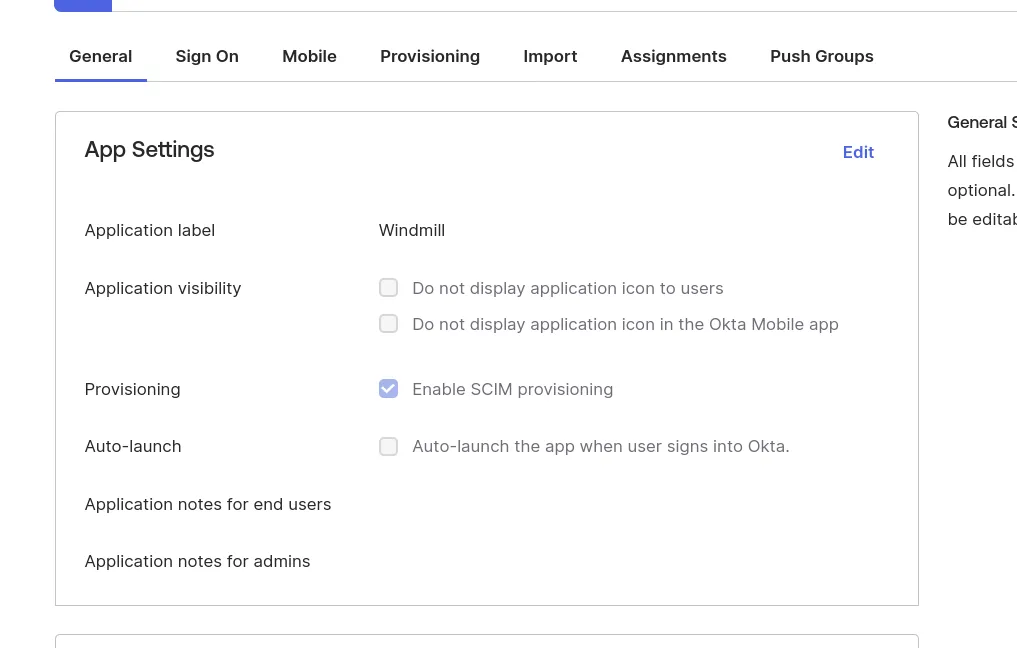
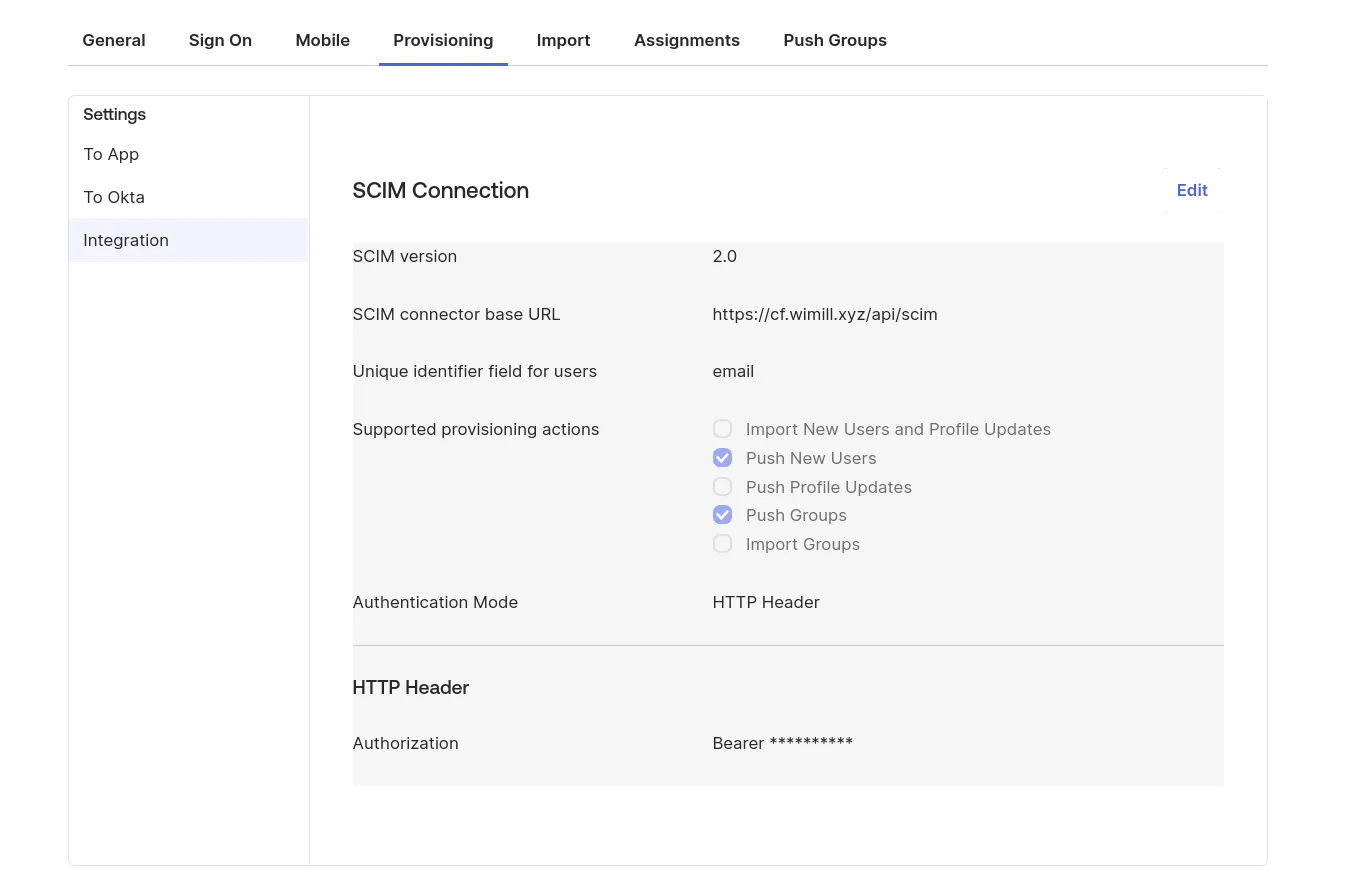
In the Instance settings UI, choose a random secure string as a SCIM token that you will set in the Okta SCIM connection setting's "Authentication Mode -> HTTP Header".
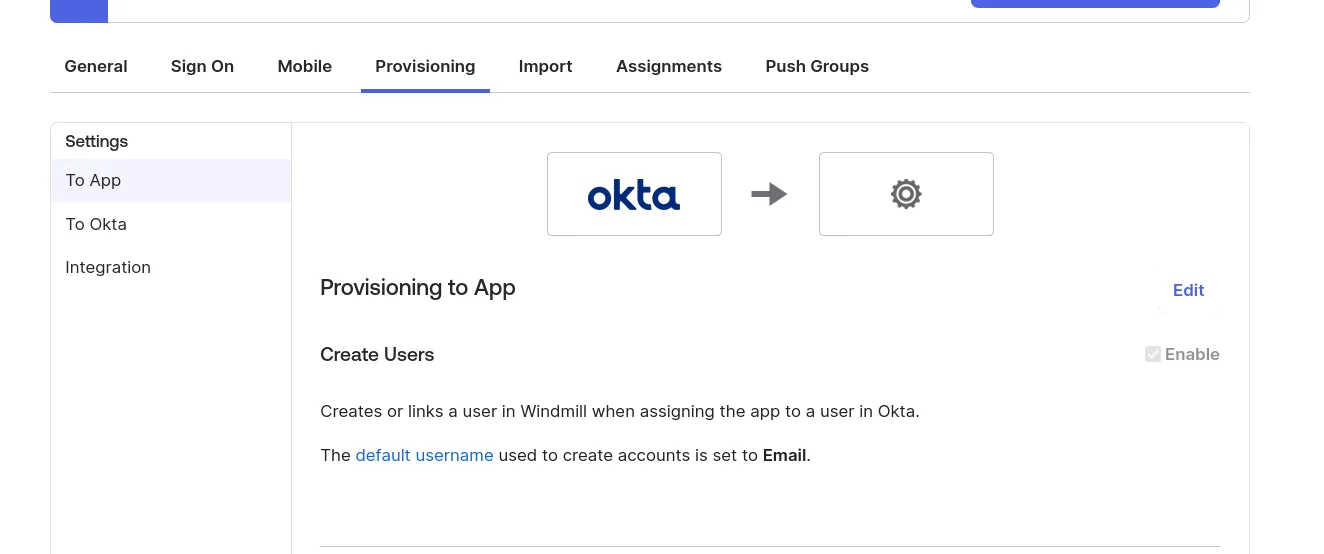
Microsoft Entra (Azure)
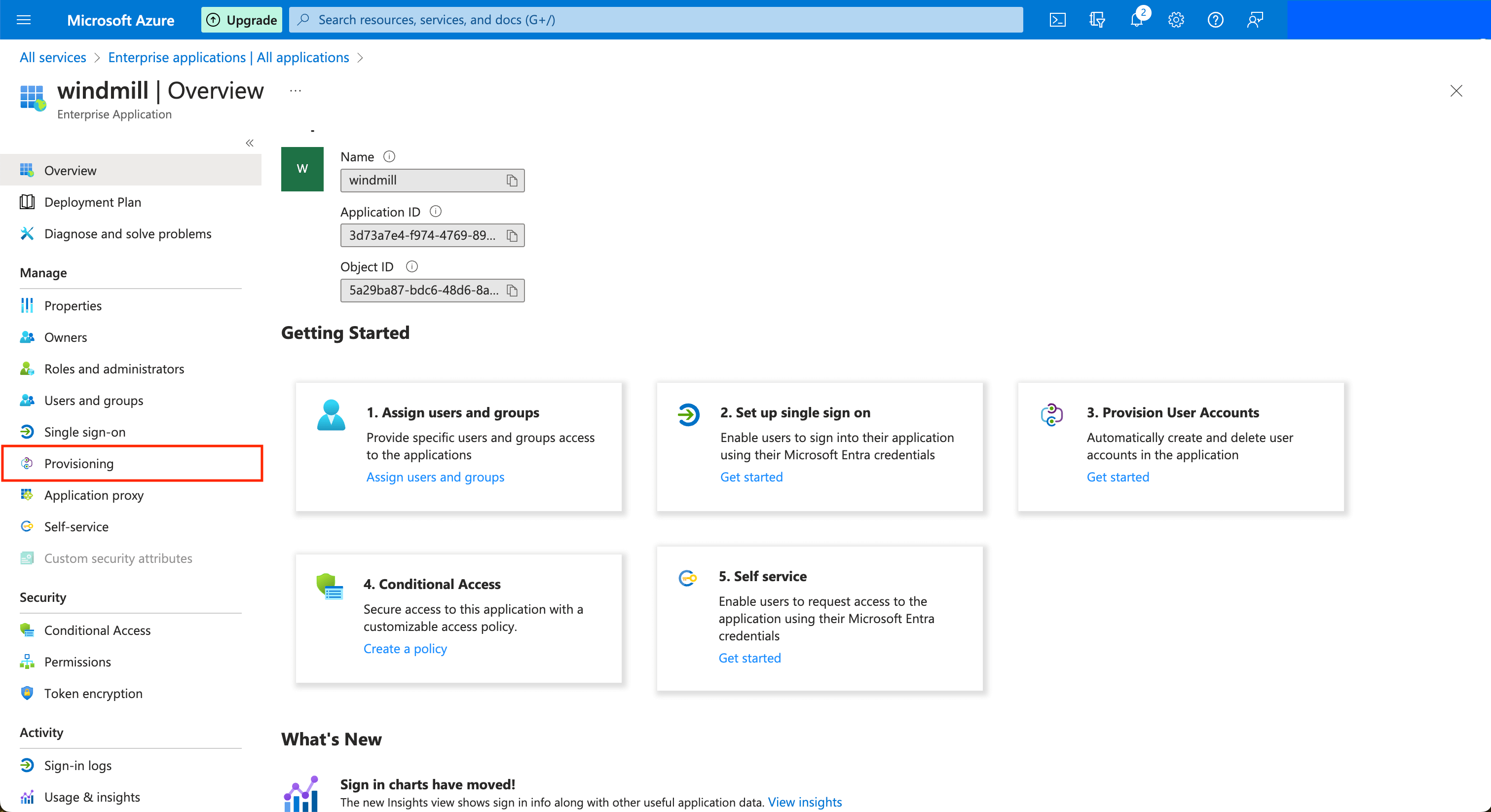
Create an application from the "Enterprise Applications" menu (see Configuring SAML with Microsoft Entra). Once the application is created, in the application's page go to "Provisioning" on the left menu, and click on the "Get started" button.
Choose the "Automatic" provisioning mode, and then for the Tenant URL, input the public URL of your Windmill server with the prefix /api/scim.
Copy the App Federation Metadata URL and paste it in the Instance settings UI.
In the Instance settings UI, set the SCIM token containing the secret value that you will share to Azure. You can click "Test" in Windmill's Instance settings UI to validate the SAML metadata URL/Content.
You can then click on the Test Connection button to validate Azure can connect to Windmill's SCIM endpoint. You can then choose to sync only the Users and Groups assigned to this application, or all users and groups. Note that if you choose the former, after you save, go to the application's page and click on the "Users and groups" button in the left menu bar. Only the users and groups present here will be synced to Windmill.
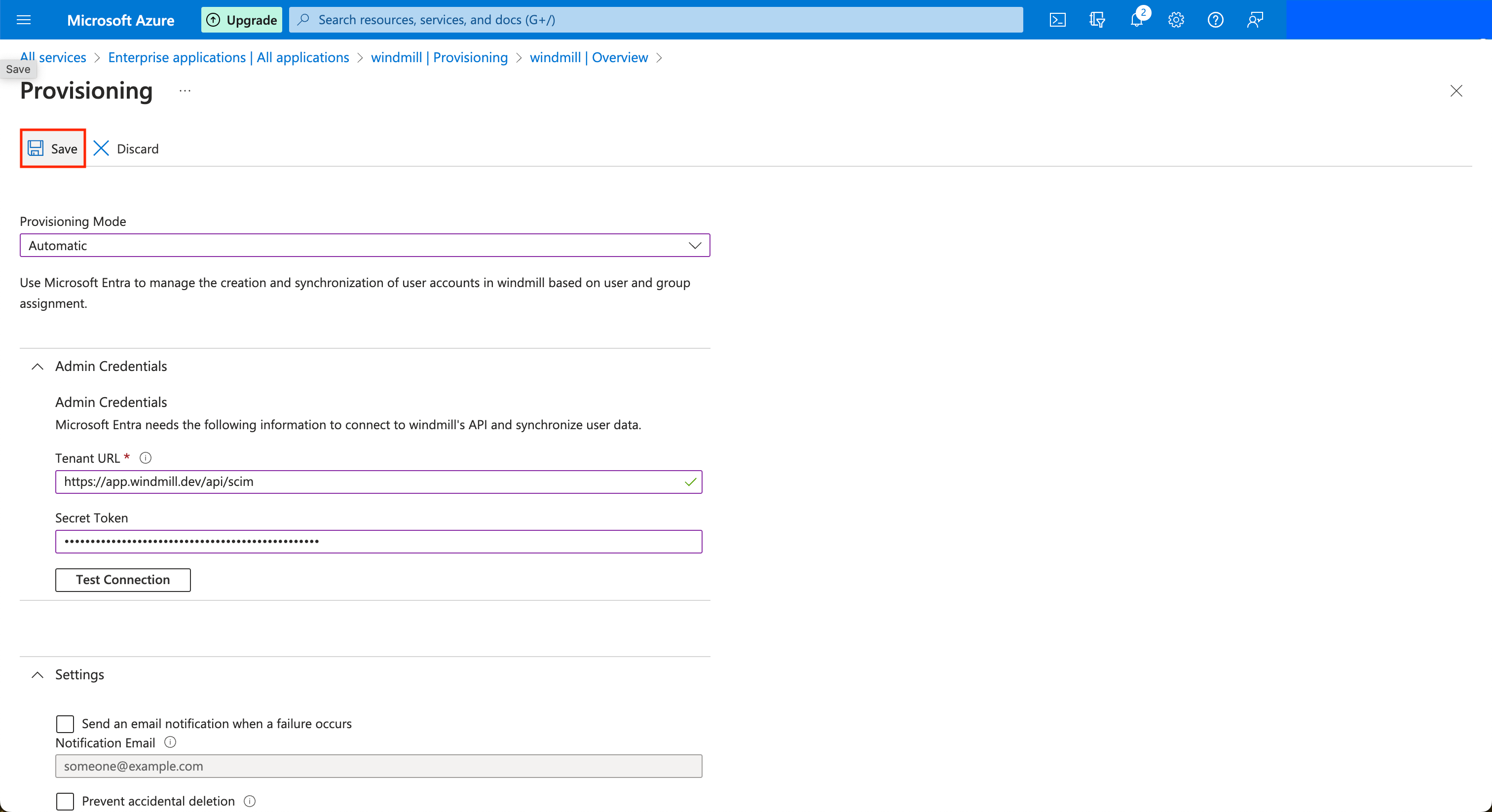
Once this is done, you can click on the Save button at the top left. Azure will now synchronize users and groups approximately every 40 minutes.
In Windmill
Once setup, the groups page should contain a new section:
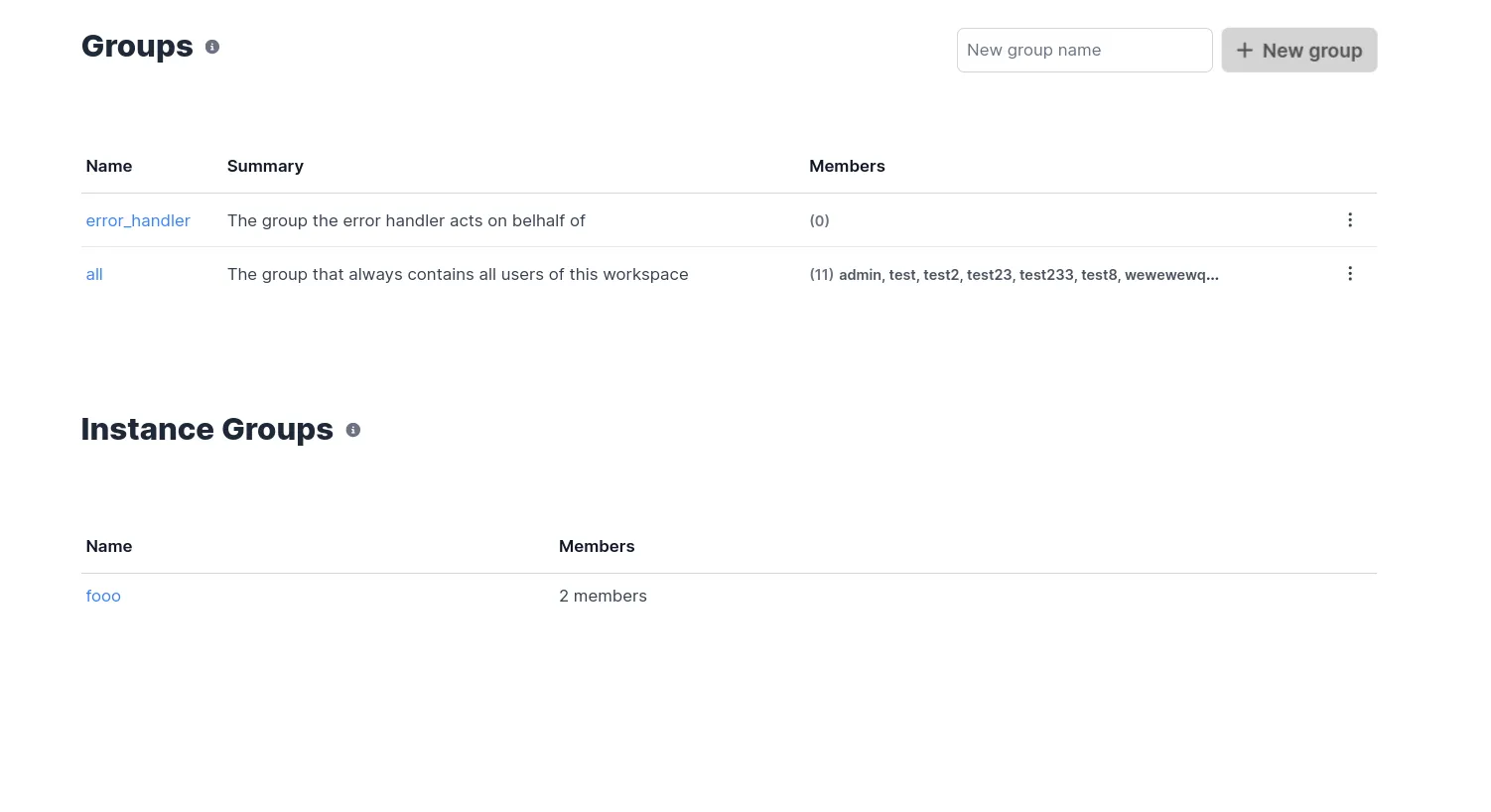
Instance groups
When SCIM is properly configured, groups from your identity provider will be automatically synchronized to Windmill as instance groups. These are special groups that:
- Are automatically managed by your identity provider (no manual creation needed)
- Sync users and group memberships automatically
- Can be used across multiple workspaces within your instance
- Provide enterprise-level group management without manual provisioning
Instance groups appear in your Windmill groups interface with a special designation, and can be assigned permissions to folders and resources just like regular groups. This eliminates the need for manual group management while maintaining full integration with Windmill's permission system.
Workspace auto-assignment
Instance groups can be automatically mapped to workspaces with specific role assignments. This powerful feature allows you to:
- Automatically add users to workspaces when they join an instance group via SCIM
- Assign specific roles (viewer, developer, admin) to instance group members per workspace
- Manage multiple instance groups per workspace with different role configurations
- Track user origin to distinguish between manually added users and those added via instance groups
This mapping is configured in the workspace settings under "User Management" where you can:
- Select which instance groups should automatically add users to the workspace
- Define the role each instance group's members should receive
- View and manage existing auto-assignments
When a user is added to an instance group in your identity provider, they will automatically gain access to all configured workspaces with their assigned roles. Similarly, when users are deleted from the group in the SCIM source, this will automatically propagate to remove them from all mapped workspaces, ensuring consistent access management across your organization.
For more details about how to use instance groups within your workflows and permission structure, see Groups and folders.